
Home and Office in Copilot reach general availability
A 24 November 2026 community call covered Microsoft 365 Copilot updates, reusable UX components across Copilot, SharePoint and Teams, and HTML pages in Microsoft 365.

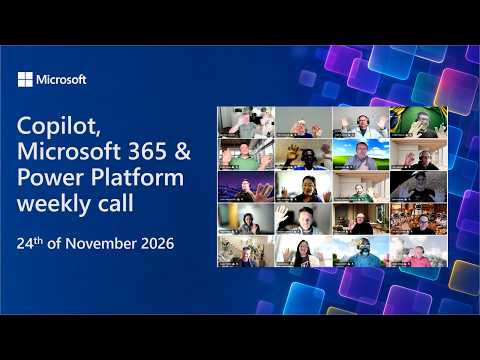
The Copilot, Microsoft 365 & Power Platform community call on 24 November 2026 covered the Ignite 2026 Copilot updates and two Microsoft 365 demos. For tenant owners, the immediate point is that Home and Office in Copilot are generally available, while Autopilot and Workspaces remain limited to Frontier.
Copilot availability after Ignite
Microsoft says Home brings Chat and Cowork together in Copilot, giving users one starting point for questions, workflow hand-offs and recent activity. Office in Copilot is also generally available, bringing Word, Excel and PowerPoint into the Copilot app. Files created there inherit Microsoft 365 permissions, sensitivity labels and compliance controls.
Copilot Managed Runtime is generally available for hosting and managing apps in a tenant. Copilot Code is due to become generally available in the coming weeks. Today, a briefing experience across mail, calendar, Teams threads, meetings and tasks, is in private preview in the Copilot app and Outlook.
Autopilot is beginning to roll out to Frontier customers. It is described as an autonomous agent that lives in the tenant, has its own identity, memory and tools, and can be mentioned in Teams, Outlook, chats, channels and documents. Workspaces, where people and agents share context around a common goal, is also available in Frontier.
Controls for tenant teams
The management model matters as much as the user interface. Autopilot has its own Microsoft Entra Agent ID and a named manager. IT can scope access and block it, and sign-ins and actions are logged under the agent’s own name.
Microsoft also describes Auto as the routing layer that selects models and effort for a task, balancing quality, speed and cost. Users can manually select models from OpenAI or Anthropic where organisational policies allow it. Work IQ is the context layer Microsoft uses to identify relevant work content across Microsoft 365.
For spend management, Agent 365 Business Analytics is rolling out in Frontier Public. Agent 365 Cost Management gives admins a central place to track consumption across users, services, agents and models, and to set spending policies, limits and alerts. Microsoft frames the commercial model as a per-user subscription combined with usage-based consumption for more complex work.
Community call demos
The call agenda listed an updates section, followed by demos from Vesa Juvonen and Nicole Woon. Juvonen’s demo covered UX in Copilot and reusing the same components across Microsoft 365, Copilot, SharePoint and Teams. The materials for the call also point to Copilot UX component documentation, samples and videos.
Woon’s demo covered advanced considerations with HTML pages in Microsoft 365. The call materials link that topic to SharePoint support documentation, a Tech Community post and a separate demo video on HTML pages in SharePoint. Q&A took place in chat during the call.
For developers and tenant teams, the two demos sit close to the product direction from Ignite. Microsoft is placing more work inside Copilot, while SharePoint and Teams remain key surfaces for the same user experience and content patterns. That makes component reuse, permissions, content governance and adoption planning practical concerns rather than separate tracks of work.
Decisions about where Copilot experiences appear, which reusable components developers can use and how HTML content is governed are the deployment questions ECS's M365 + Copilot topic covers, alongside Copilot, Teams, SharePoint, Viva, governance and adoption. Attendees get sessions and practitioner experience on tenant roll-out, SharePoint and Teams design choices, and the operational controls around Copilot. Bring the component, permission and adoption questions that are difficult to resolve from documentation alone.
This article was written by the ECS editorial team with the assistance of Amal Agent, run.events' AI assistant, which supported the research, drafting and proofreading.